
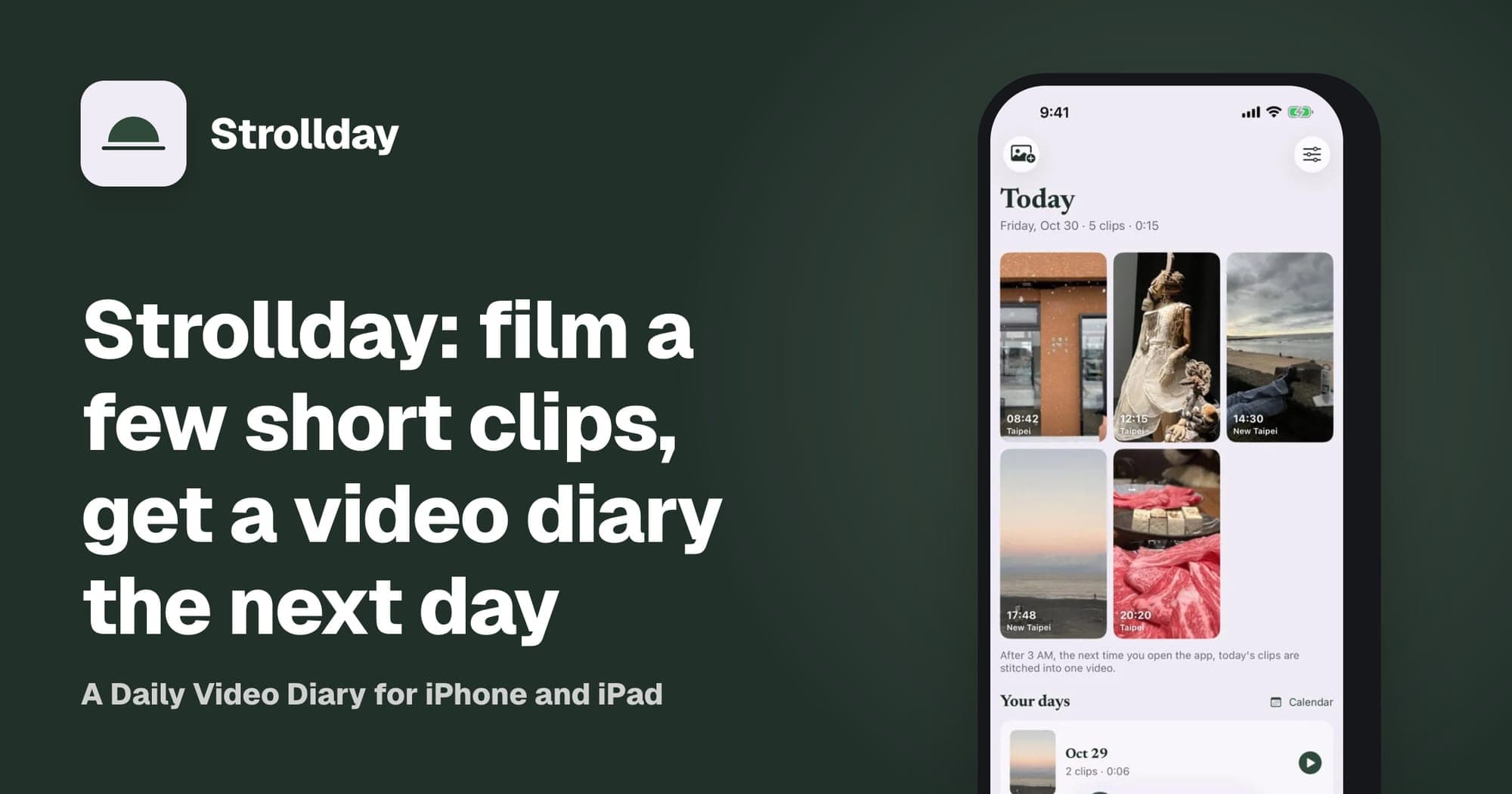
Plenty of people want to keep a video diary. Few keep one going. The filming is rarely the problem. The sorting, trimming and captioning afterwards is, and it piles up for months.
Strollday is the app we built for that. The rule is simple: when something catches your eye, film a short clip. Strollday does the rest.
How a day goes
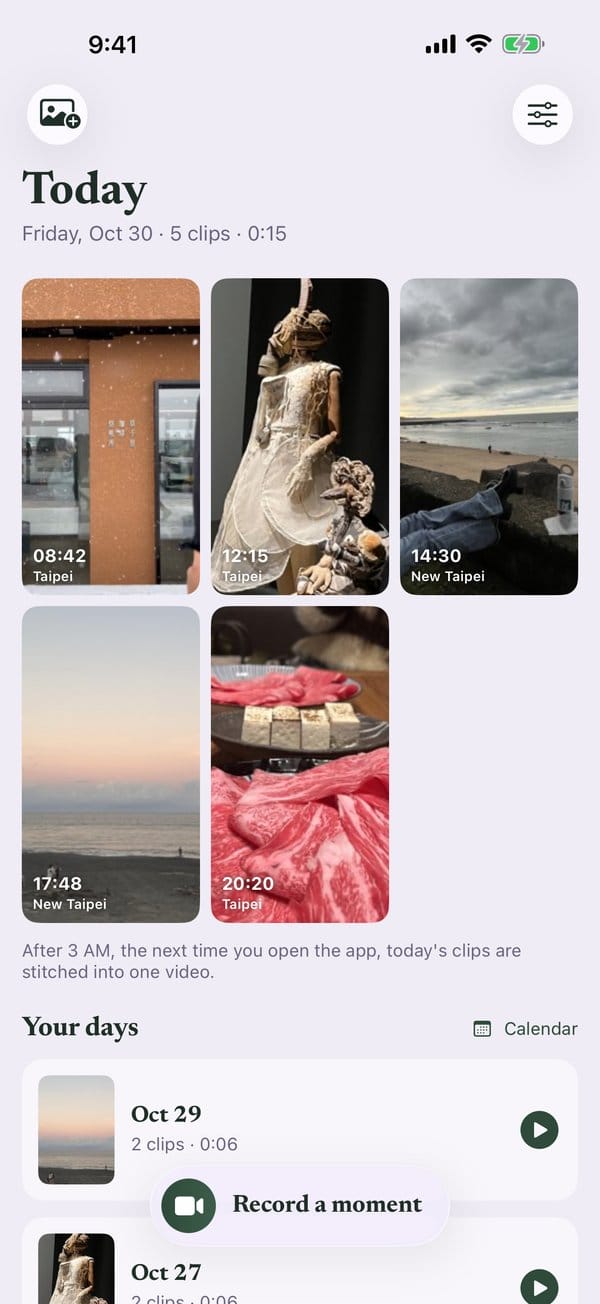
- Film whenever you like. Each clip is 2 seconds, and you can film as many as you want. Breakfast, the sky on your commute, an afternoon coffee. No framing, no editing.
- Open the app the next day and yesterday becomes one video. When you open Strollday after 3 AM, yesterday's clips are stitched together. Each clip carries the time and place it was filmed.
- Every day gets a spot on the calendar. Your days line up as thumbnails, with monthly and yearly recaps and "on this day" to bring old days back.
Making it easy to film
- Film from the Lock Screen without unlocking your phone. A Home Screen widget and Control Center give you a quick start too.
- A nudge if you forget. One reminder at a random minute each hour, easy to turn off.
- Missed a moment? Import videos from Photos and they land on the day they were shot.
- A filter per clip, previewed exactly as it will look.
- Split layouts. One clip can hold three or four cells. The camera waits after each cell so you can turn around before the next.
- A lock. Protect your diary with Face ID.
Your videos are processed on your phone
Strollday has no account, no sign-up and no login. Clips are recorded, stitched and stored on your device. Nothing is uploaded to our servers.
Finished days can be saved to Photos. A copy saved to Photos belongs to your library and stays there if you remove the video from the app.
Price and devices
- Free to download and use, with no ads.
- iPhone and iPad running iOS 18 or later.
- The app comes in nine languages: English, Traditional Chinese, Simplified Chinese, Japanese, Korean, Thai, Indonesian, French and Hindi.
Get it
See how a day goes on the Strollday site, or download Strollday on the App Store.
Questions or feedback? Write to [email protected] and a real person will reply.
Related posts
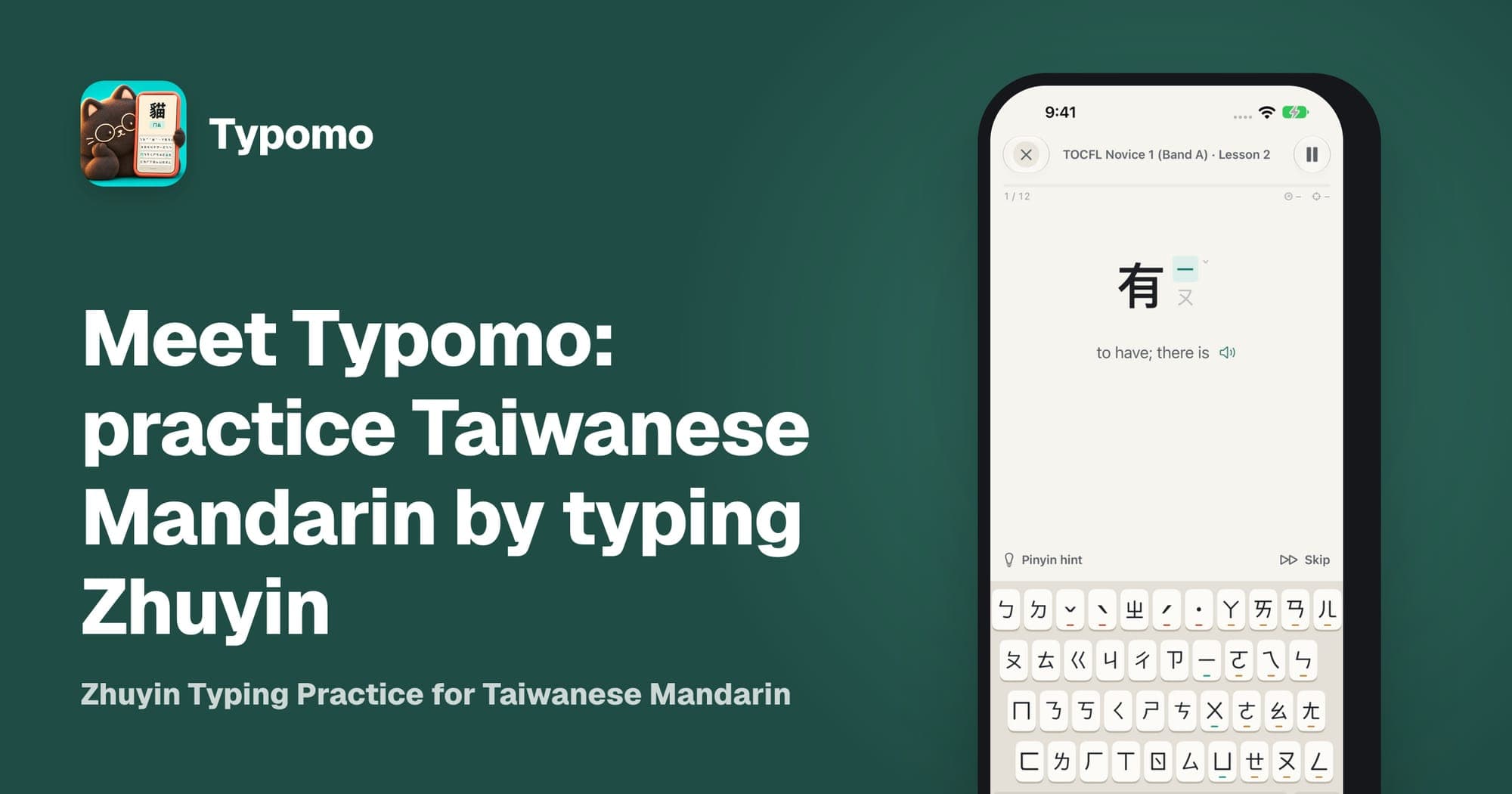
Meet Typomo: practice Taiwanese Mandarin by typing Zhuyin
You know the Zhuyin symbols, but you cannot find them on the keyboard. Typomo lets you listen, find the key and type, from your first ㄅ to a full sentence.

How to Write a Listening Scenario That Generates Better Listening Questions
"A conversation at a station" gives you a generic dialogue. Name the place, the speakers, the purpose, the one fact students must catch and a detail that changes, and the question tests what you taught. Examples for Japanese, Chinese and English, matched to each listening format.

Picture and Audio Answer Options: Multiple-Choice Questions Beyond Text
Each answer option in Quizzz can now carry a picture, an audio clip, or both. Five question ideas for language classes, how to add media in the quiz builder, what students see, and what to know before you assign it.